
Use this option if you don’t have a scoring tool.
The fold lines will be dashed and cut with the regular blade, just like the main cut lines.
It’s a simple way to prepare foldable designs without needing extra tools.
1. Upload the SVG file into Cricut Design Space.
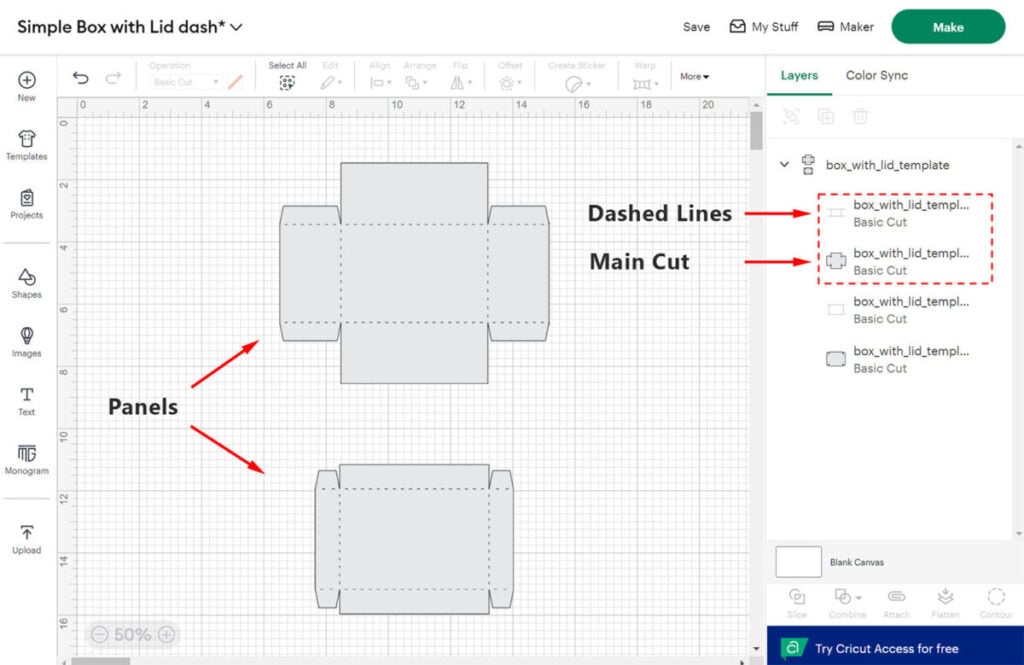
You should see the panels (or just one panel). Expand the layers list on the right. Each box panel consists of two layers: a dashed fold lines layer and a main cut layer.
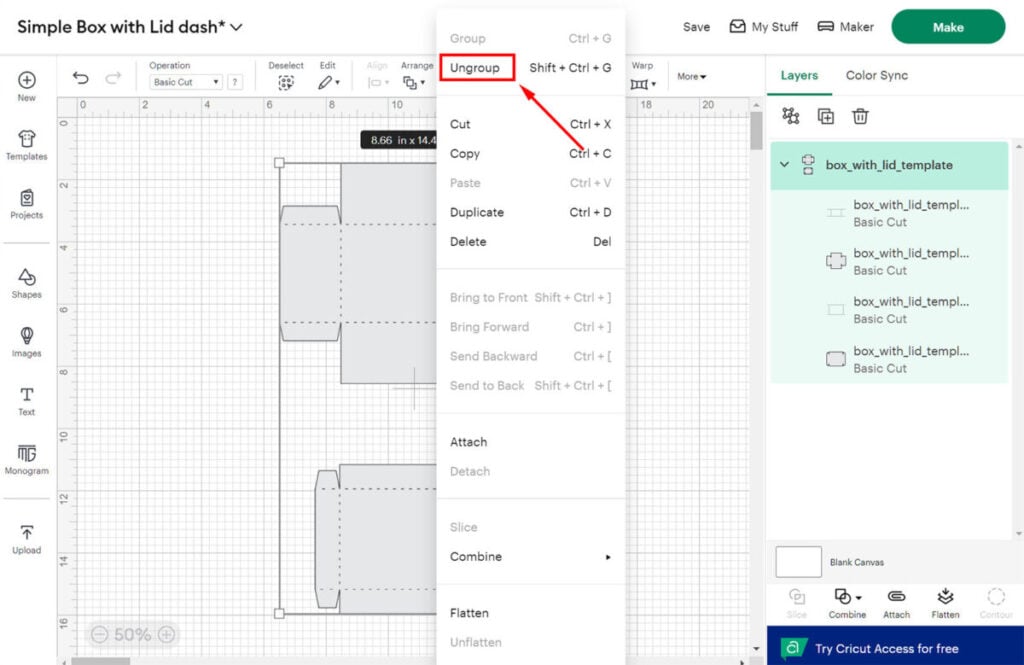
2. Right-click on the design and select “Ungroup.”
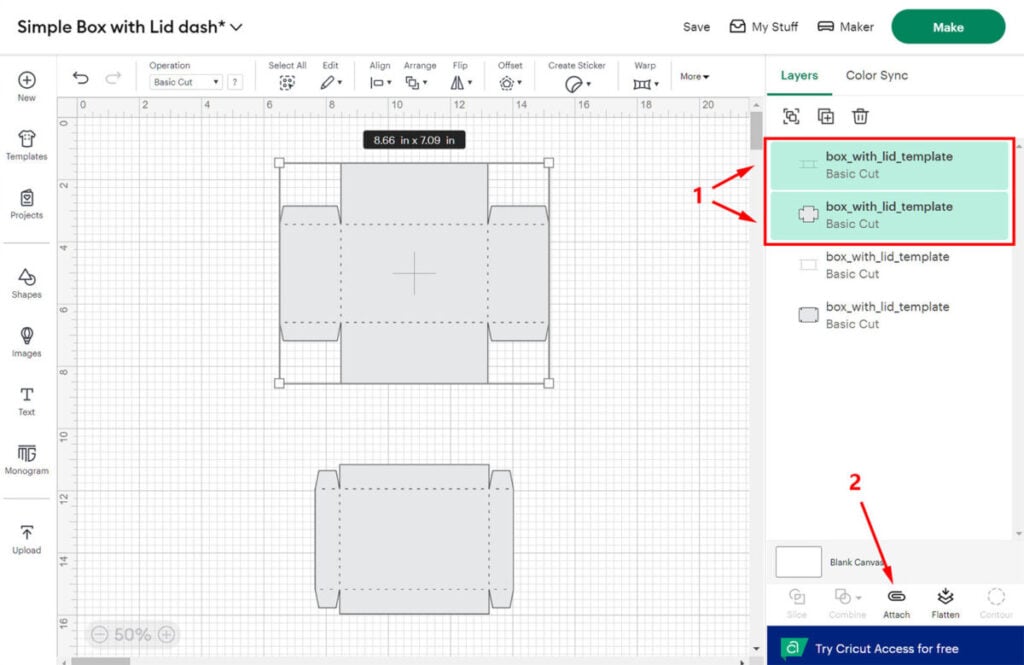
3. Select (1) both layers of the first panel (dashed lines and main cut) and click “Attach” (2).
4. You should see that the layers are now attached to each other. If your design contains only one single panel, skip to step 6.
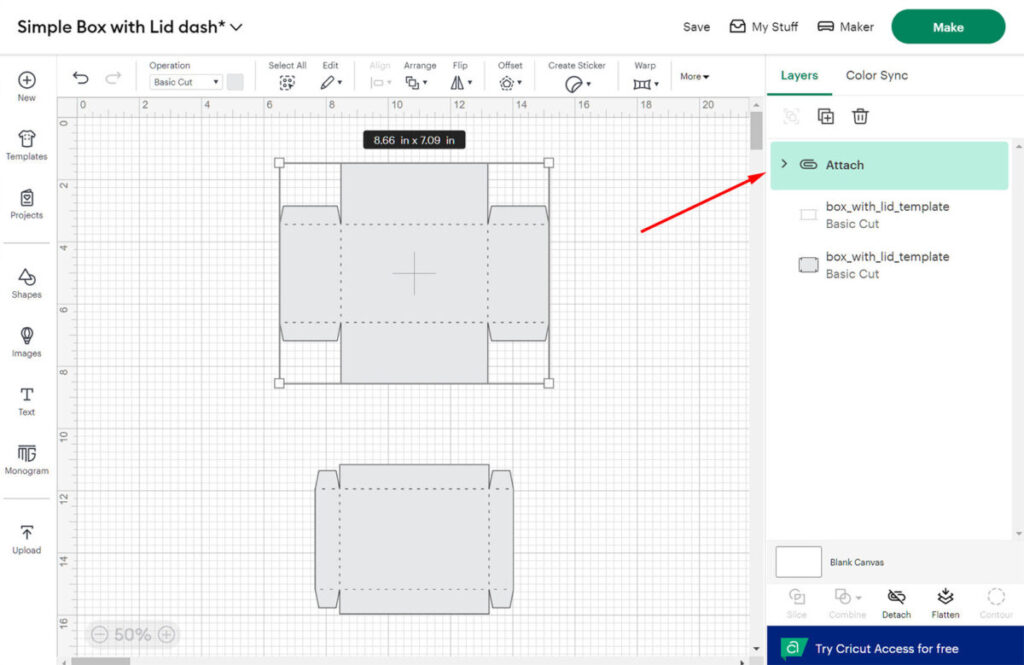
5. Repeat “Attach” for the second panel.
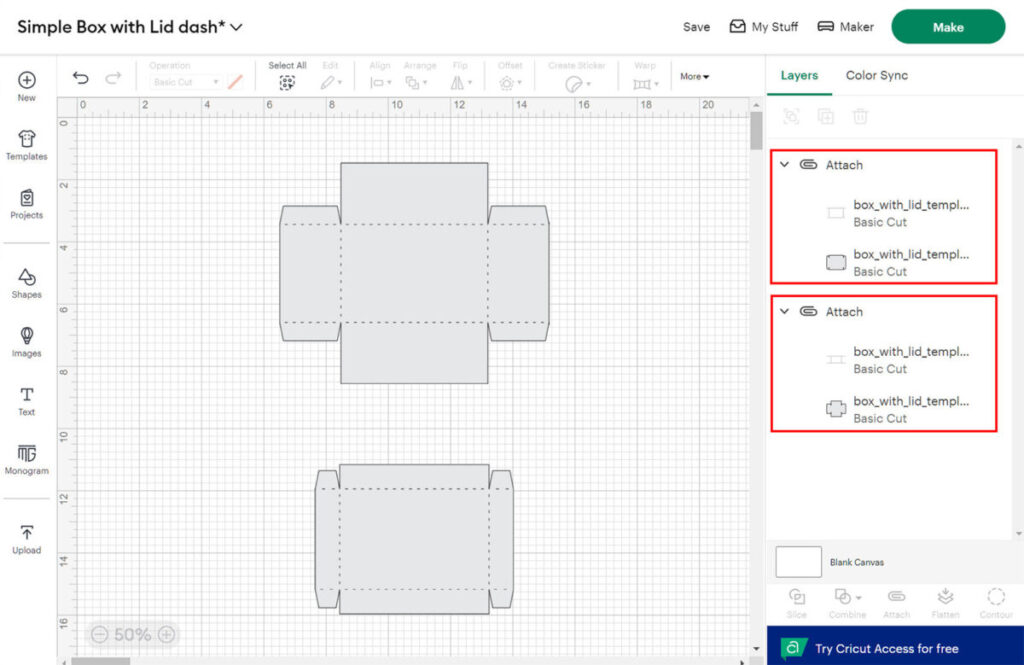
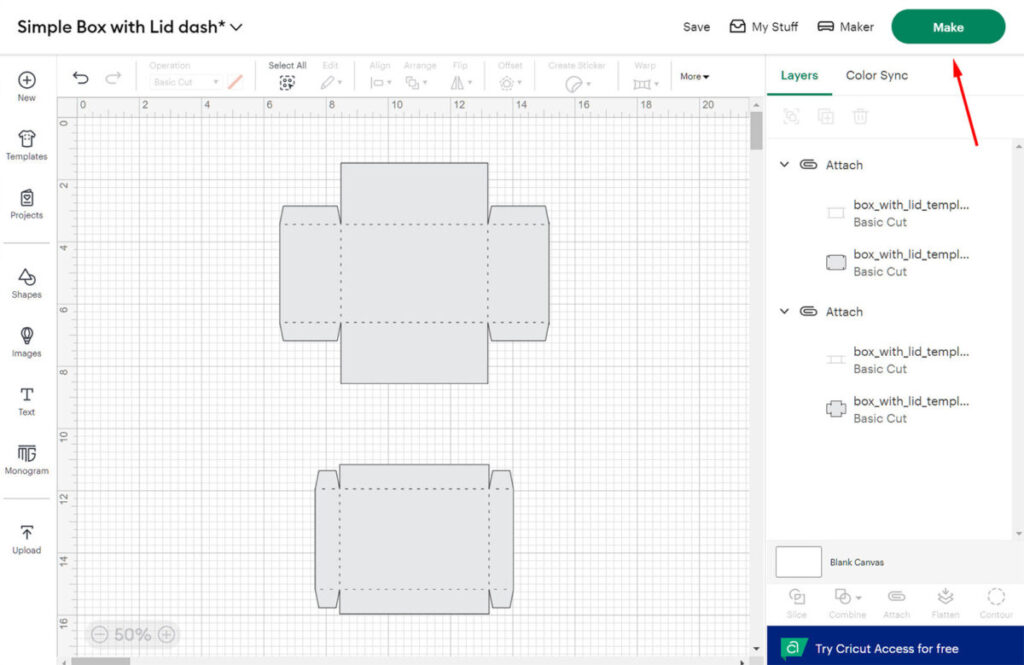
6. Now that your design is ready, click the “Make” button.
7. On the next screen, change the cardstock size as needed, reposition the panels if necessary, then click the “Continue” button and follow the on-screen instructions.
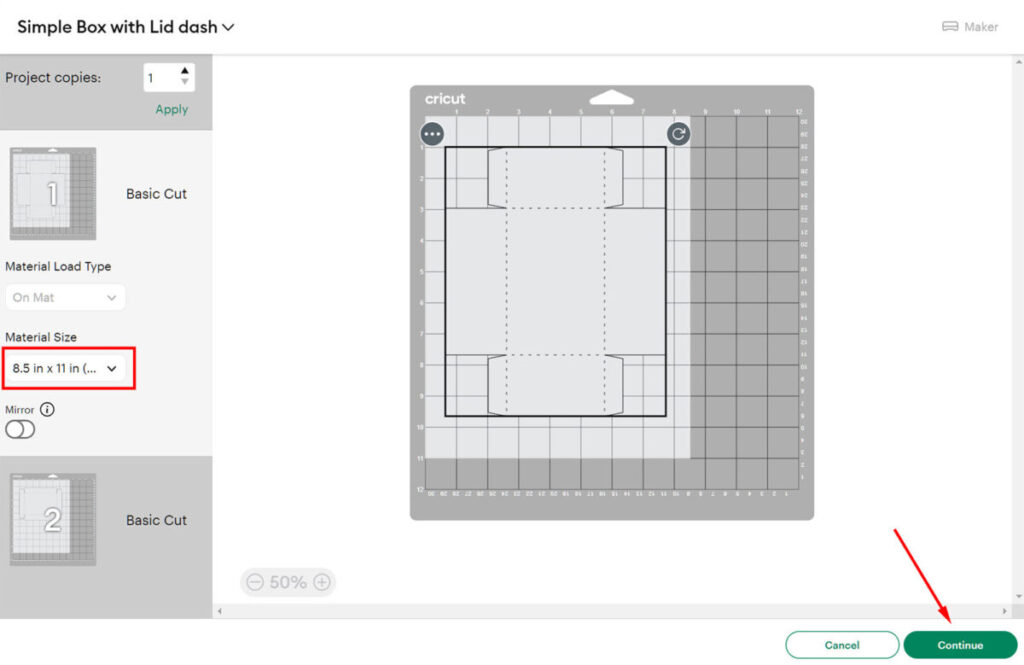
That’s it — your design is now ready for cutting.