
Uploading your template into Cricut Design Space is the first step to start cutting your project.
Here’s how to do it, step-by-step.
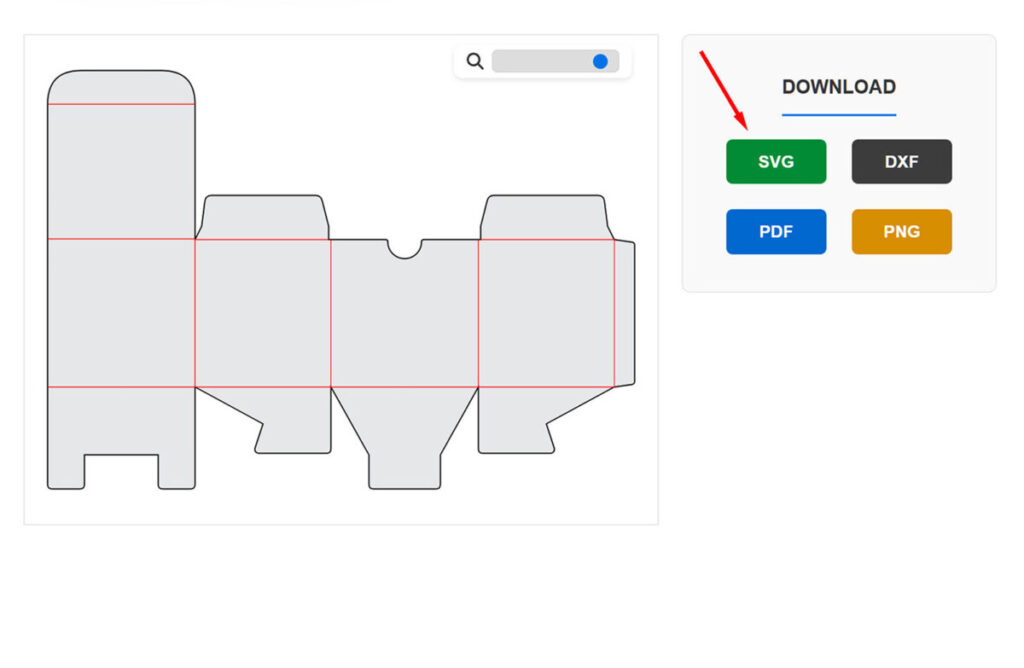
1. First, make sure you downloaded your template as an SVG file from the design editing page.
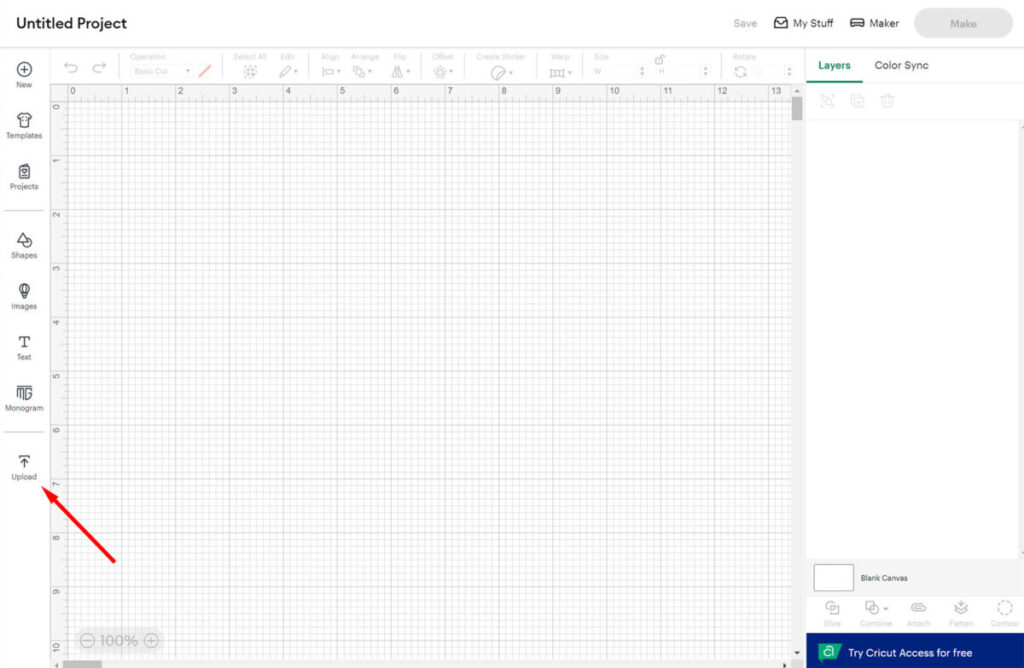
2. Open Cricut Design Space, navigate to the Canvas, and click the “Upload” button.
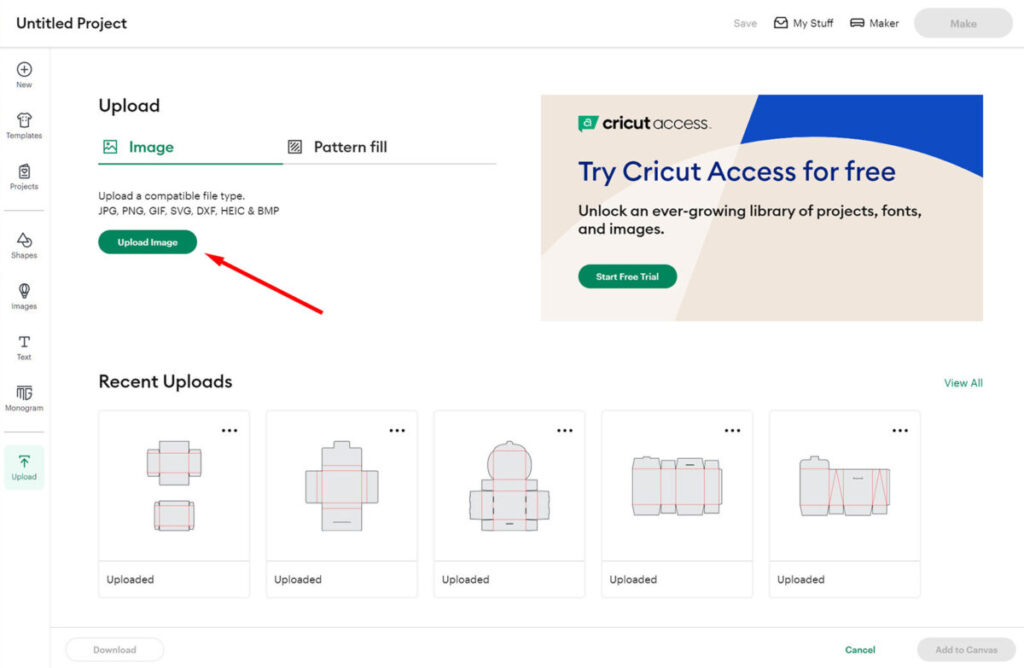
3. On the next screen, click “Upload Image.”
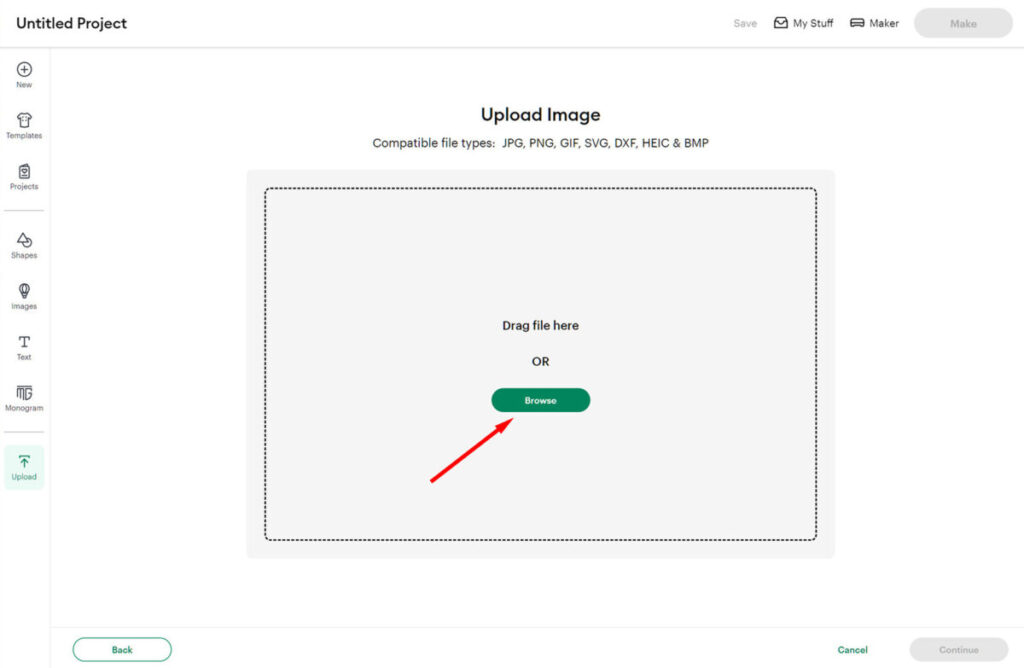
4. Click “Browse” and locate the SVG file you downloaded. Select the file, then click “Open.”
Tip: You can also drag and drop the SVG file directly into the upload area.
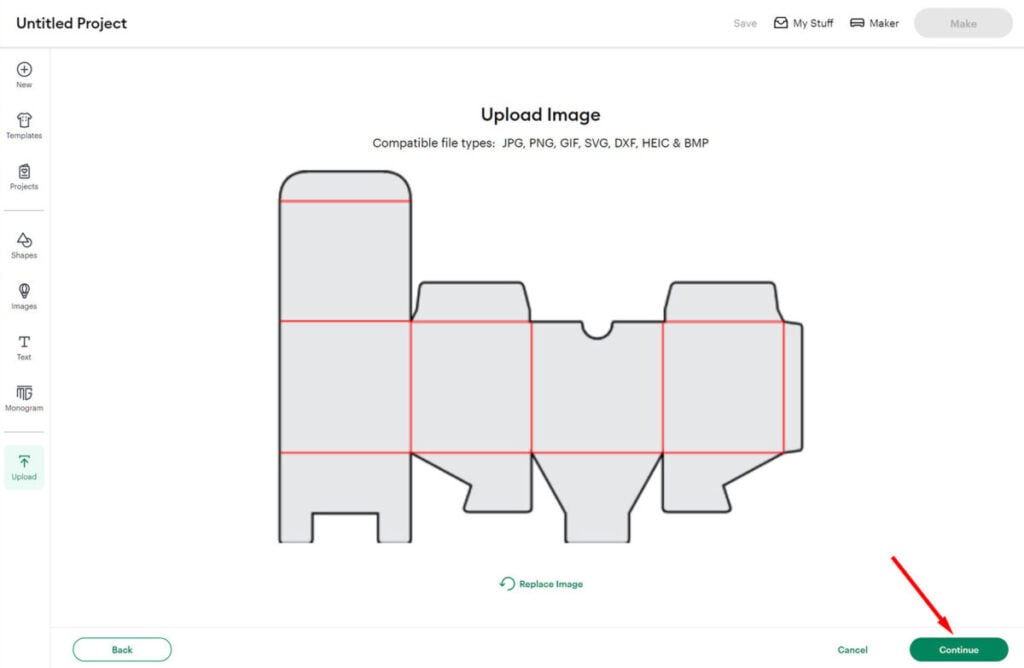
5. Review your image, then click “Continue.”
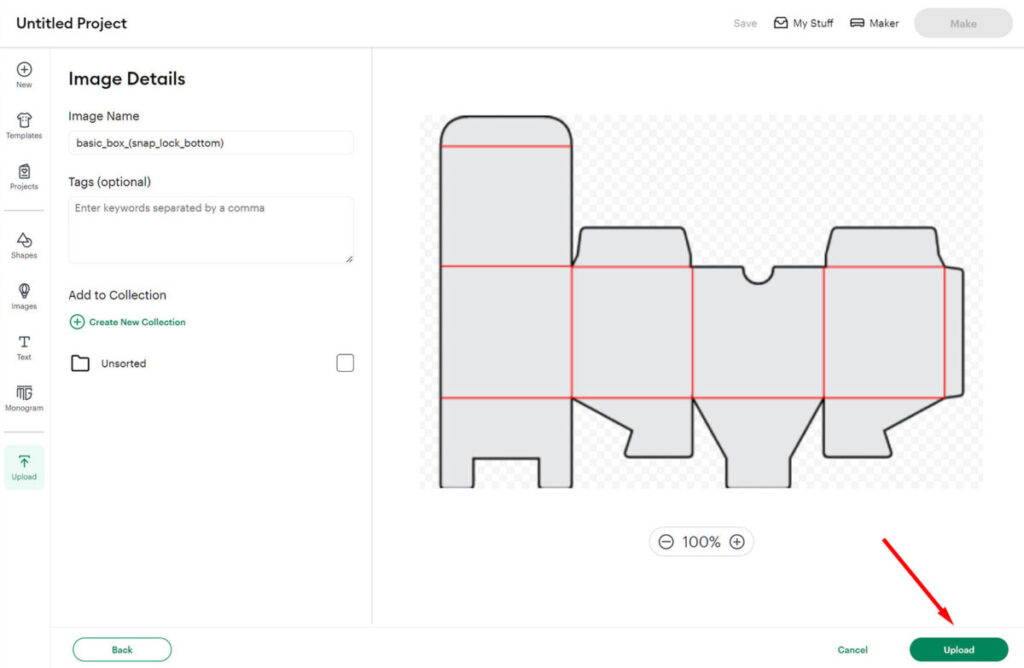
6. On the next screen, you can add or change the name of your design and assign it to a collection (optional).
Then click “Upload.”
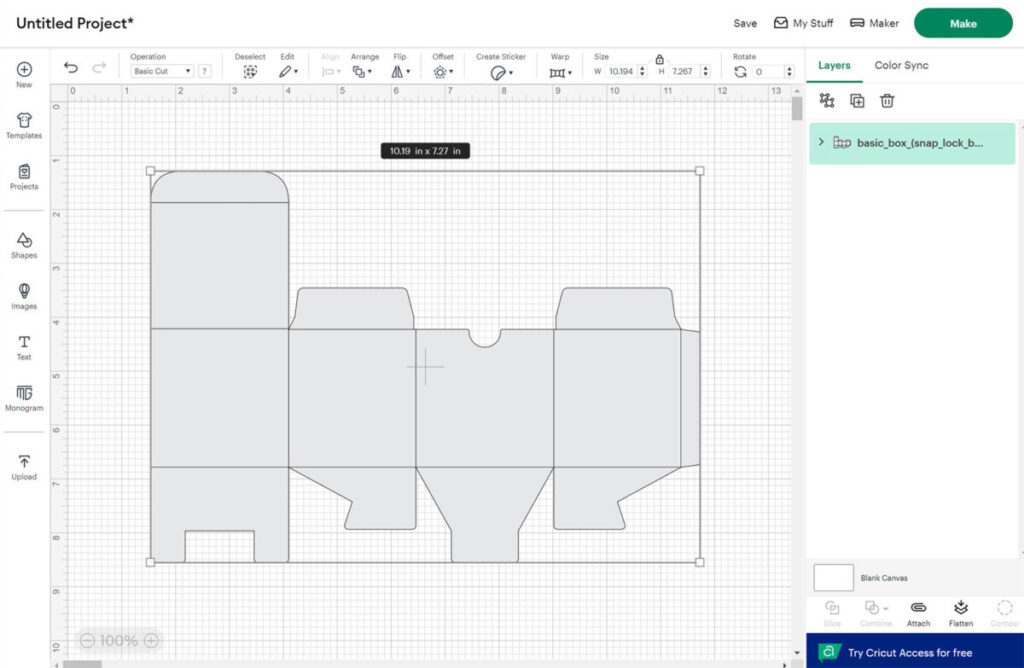
That’s it — you’ve successfully uploaded your template into Cricut Design Space.