
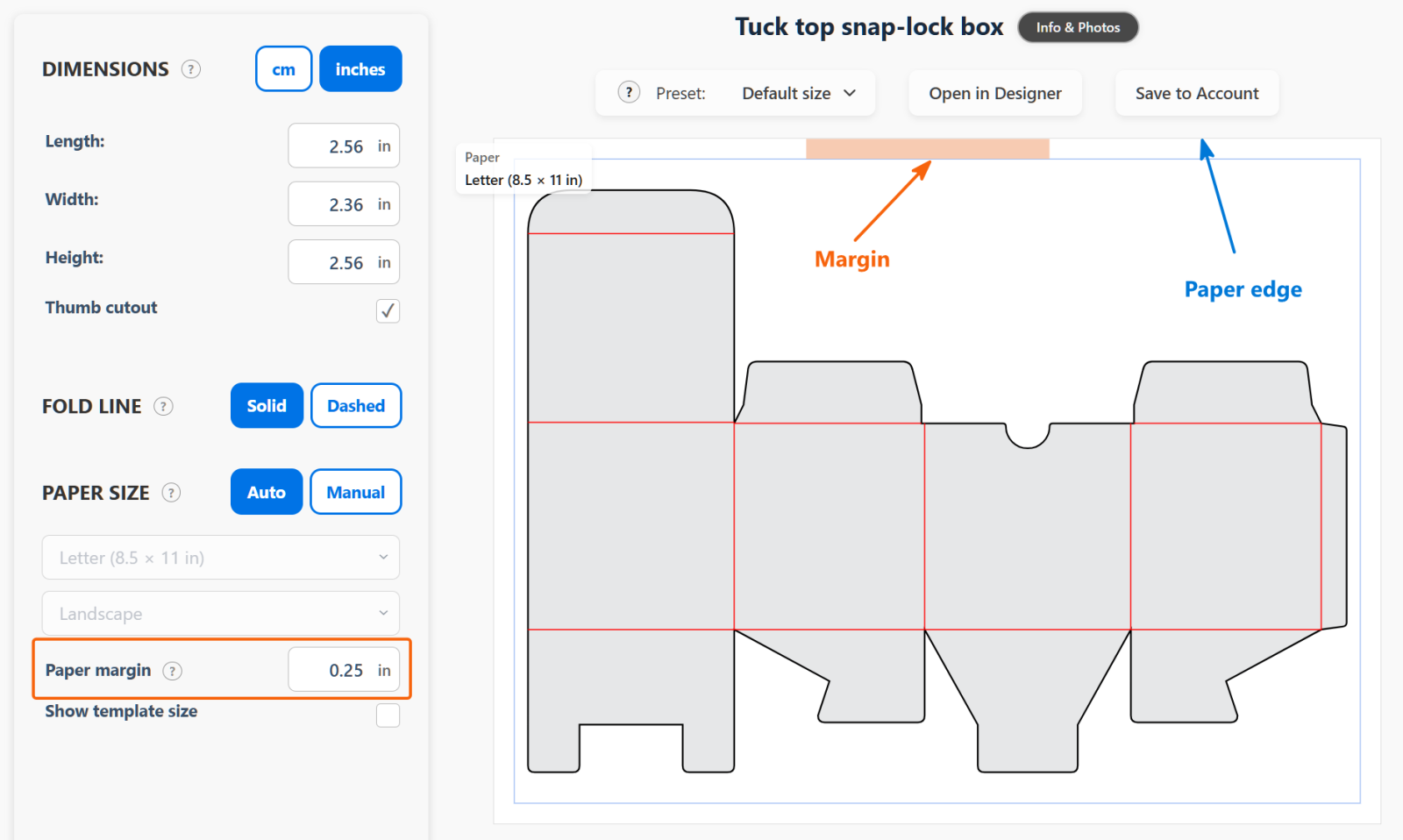
Paper margin is the area near the paper edges where your printer cannot print or your cutter cannot cut.
In the screenshot:
- The blue arrow points to the paper edge.
- The orange arrow points to the margin.
- The blue frame shows the area available for your template.
The default margin is 0.25 inches (0.64 cm). You can make it bigger or smaller depending on your printer or cutter.
When you change Paper margin, the blue frame moves. A bigger margin makes the frame smaller and leaves less space for the template.
Keep the whole template inside the blue frame. If it does not fit, use a larger sheet or reduce the box dimensions.