
For solid fold lines, you’ll need a Scoring Stylus or Scoring Wheel. If you don’t have one, choose dashed fold lines in the template generator.
Scoring Stylus
Compatible with Cricut Maker and Cricut Explore machines.
Note: The stylus can be imprecise and may shift the score lines by up to 2 mm during cutting. This can be especially problematic for small designs. If this happens, consider switching to the Scoring Wheel or use dashed fold lines instead.

Scoring Wheel
Only compatible with Cricut Maker models. Provides great precision, especially on complex or small-scale designs.

1. Upload the SVG
Upload the SVG file into Cricut Design Space.
You should see the panels (or just one panel). Expand the layers list on the right. Each box panel consists of two layers: a score lines layer and a main cut layer.

2. Ungroup the design
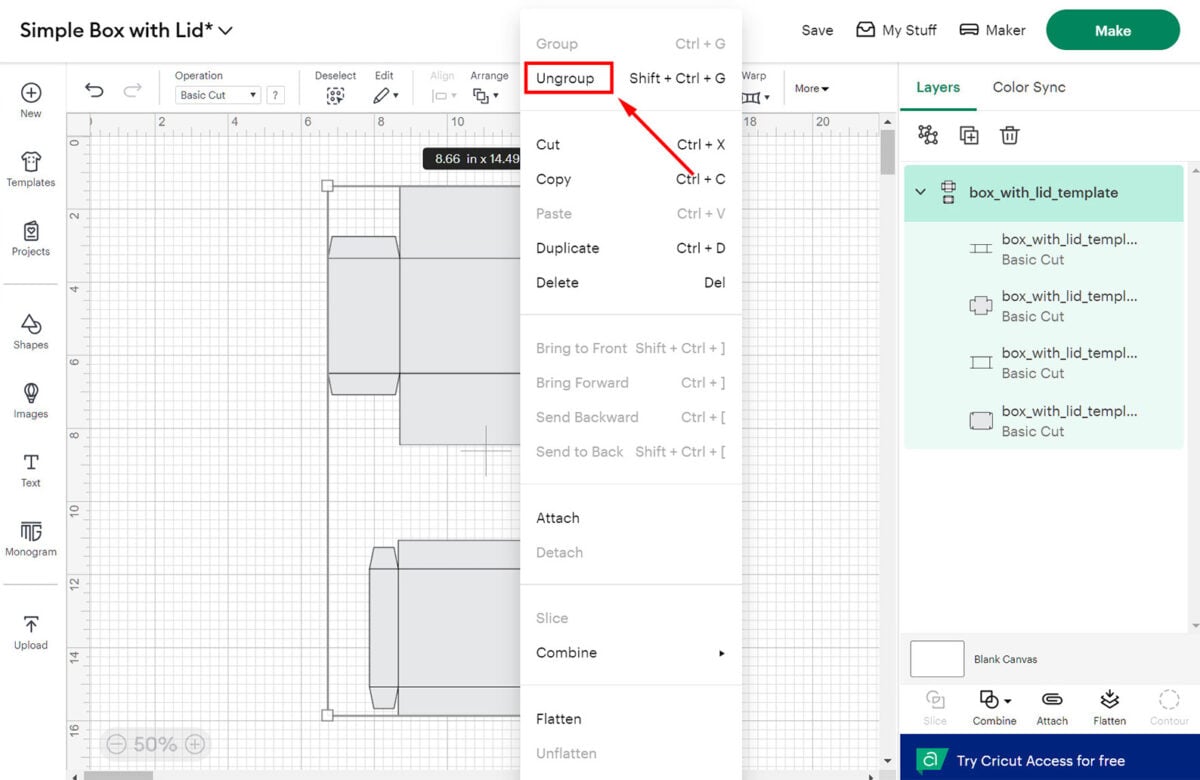
Right-click on the design and select “Ungroup.”
3. Set the fold lines to Score
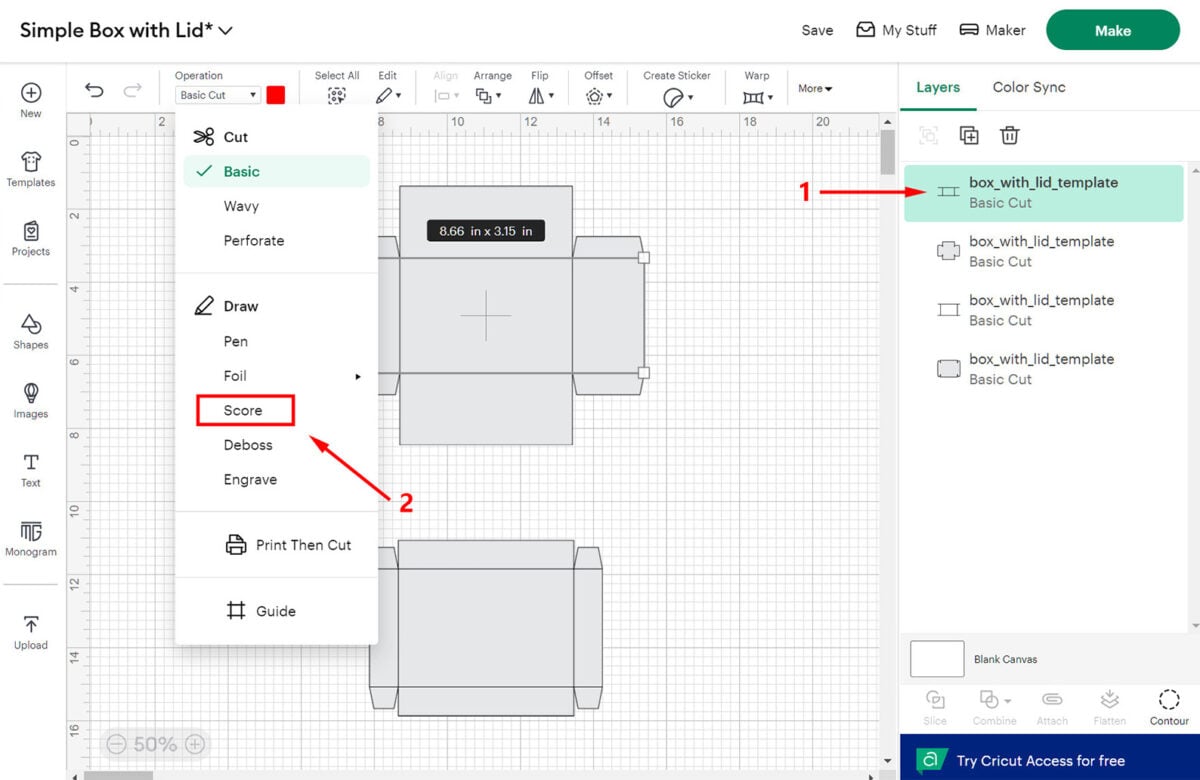
Select the first layer with the score lines (1), then change the “Operation” dropdown from “Basic Cut” to “Score” (2).
4. Attach the layers
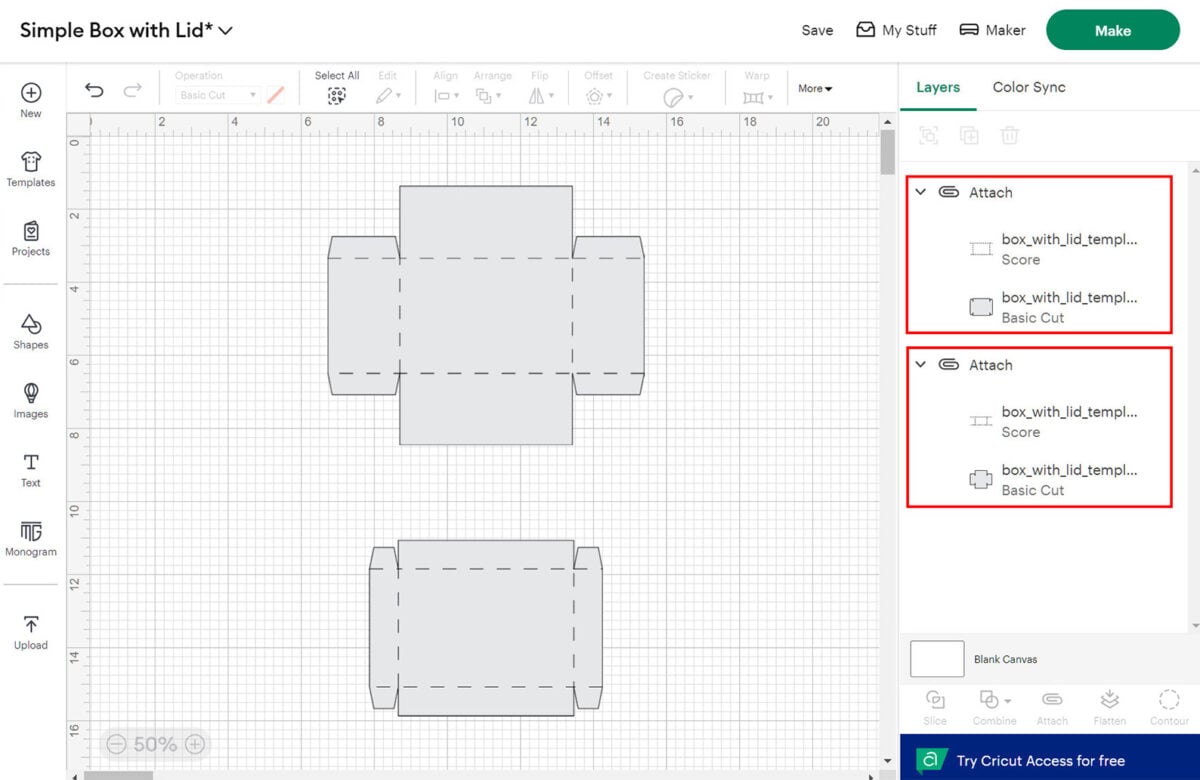
Select (1) both layers of the panel (score + basic cut) and click “Attach” (2). If your design contains only one single panel, skip to step 6.

5. Repeat for other panels
Repeat steps 3–4 for the second panel. If you have more than two panels, repeat these steps for each panel.
6. Click Make
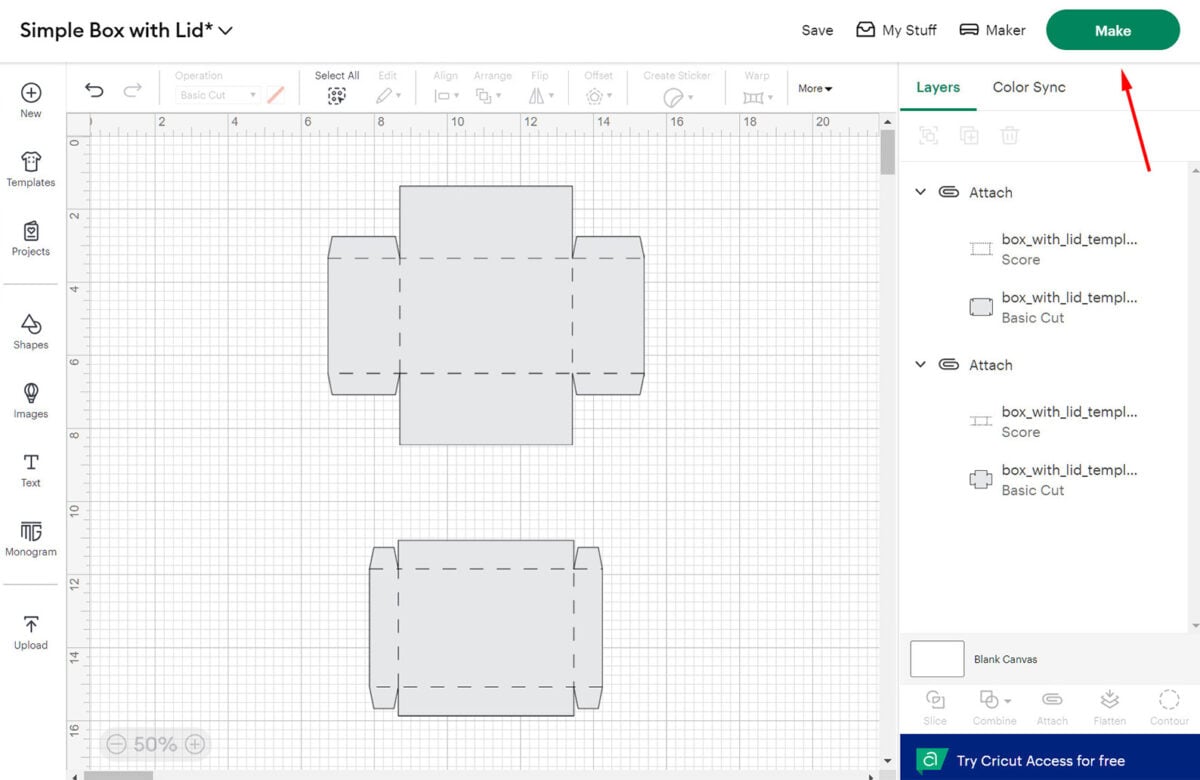
Now that your design is ready, click the “Make” button.
7. Prepare the mat
On the next screen, change the cardstock size as needed, reposition the panels if necessary, then click the “Continue” button and follow the on-screen instructions.
